
Voice Feedback
Voice Feedback lets visitors instantly record and submit voice messages—no login or forms needed. Collect real-time user feedback from clear audio messages directly on your website, making communication fast, natural, and effortless.
✓ Discount applied automatically at checkout✓ 14-day money-back guarantee
- 40+ Active installs
- 14-day money-back guarantee

BLACK FRIDAY · CYBER MONDAY
45% off every Pro plan
Your discount is already applied at checkout. No code to copy.
-
Single site Save 45% Save 45% Save 45%
Normally $4.99$2.74 /monthNormally $47.88$26.33 /yearNormally $119$65.45 one-time- Everything in Free
- Email Notifications
- Customizable Email Templates
- Screen Record Option
- Global Drawer Position(Left, Right)
- Buttons Typography
-
3 sites Save 45% Save 45% Save 45%
Normally $8.99$4.94 /monthNormally $83.88$46.13 /yearNormally $199$109.45 one-time- Everything in Free
- Email Notifications
- Customizable Email Templates
- Screen Record Option
- Global Drawer Position(Left, Right)
- Buttons Typography
-
Best Value
Unlimited sites Save 45% Save 45% Save 45%
Normally $33.99$18.69 /monthNormally $323.88$178.13 /yearNormally $499$274.45 one-time- Everything in Free
- Email Notifications
- Customizable Email Templates
- Screen Record Option
- Global Drawer Position(Left, Right)
- Buttons Typography
14-day money-back guarantee · unlimited updates while active · sale ends December 5
Testimonials
What Our Customers Say to Us
5.0 rating · 1 real review from the WordPress.org community
-
WordPress.org
Works Great! and is Clear on recordings as well.
Thank you for this plugin. I really like it and enjoy it. I hope you make more cool plugins for wordpress cuz its my favorite type of site to work on and add plugins for. Thank you!! 🙂
tcradiodj Read review
The Better Way: Voice Feedback
Let users speak and be heard.
Send 1-Click Voice Feedback, No Login Needed
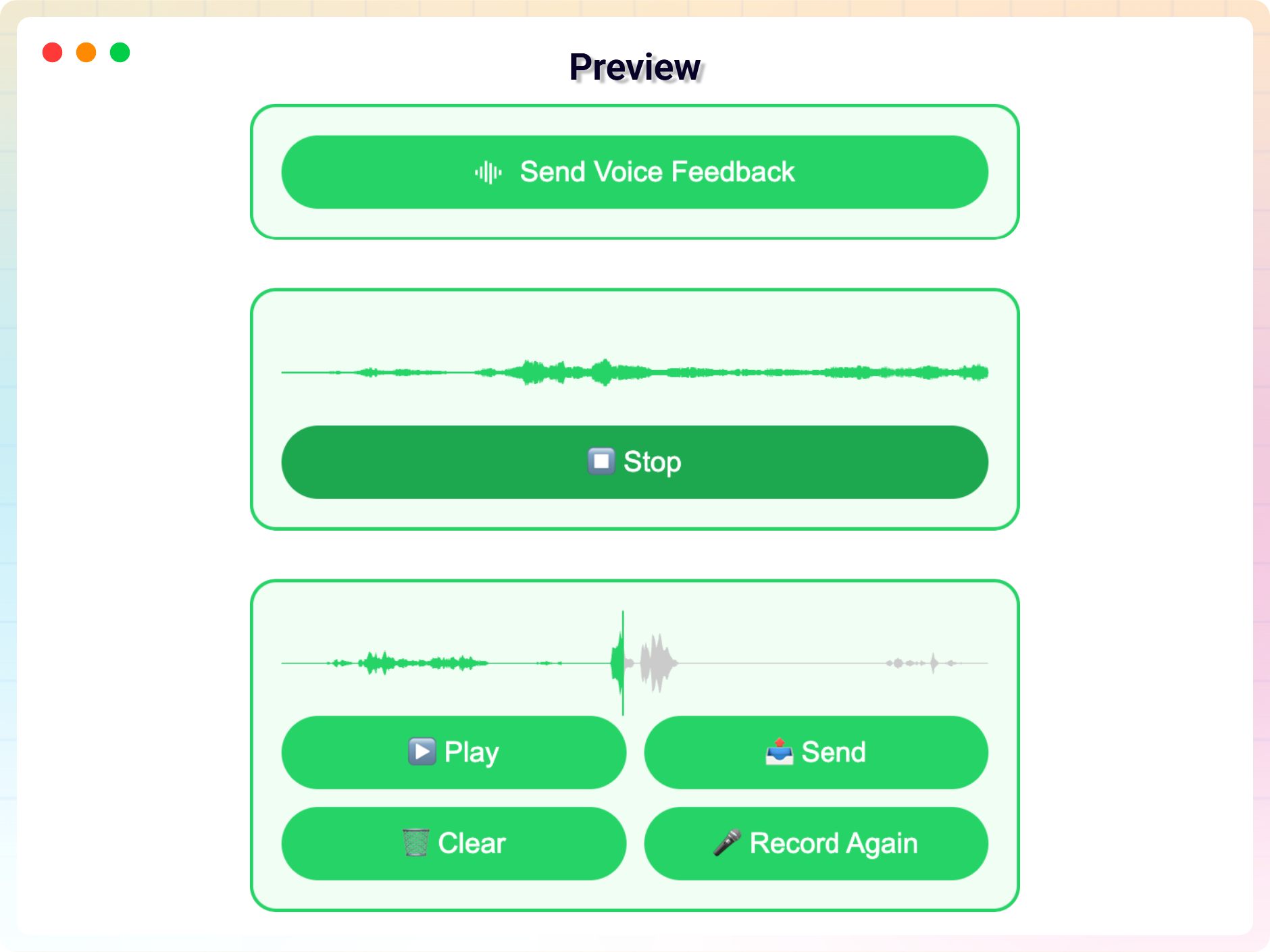
Send voice feedback with a single click—no forms, logins, or personal info needed. Visitors can record, review, and submit voice messages right on your site. The intuitive voice recording field boosts engagement and encourages honest, effortless user feedback.

Built-In Voice Library with Full Playback Control
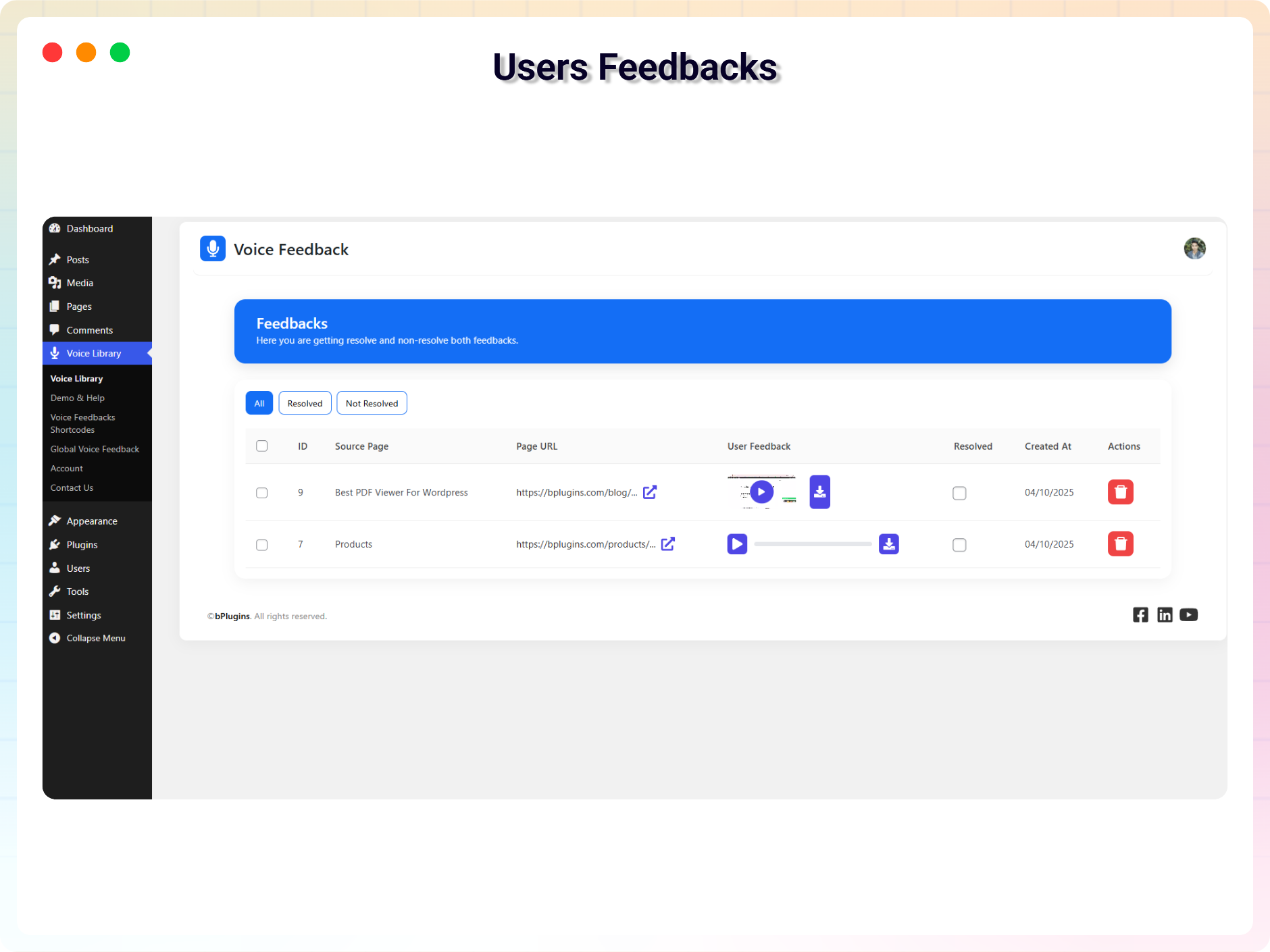
All submitted voice comments are saved in a secure, easy-to-use admin dashboard. Listen, manage, or delete audio feedback with just a few clicks. This centralized tool gives you quick access to every voice message you collect.

Fully Customizable and Mobile-Responsive
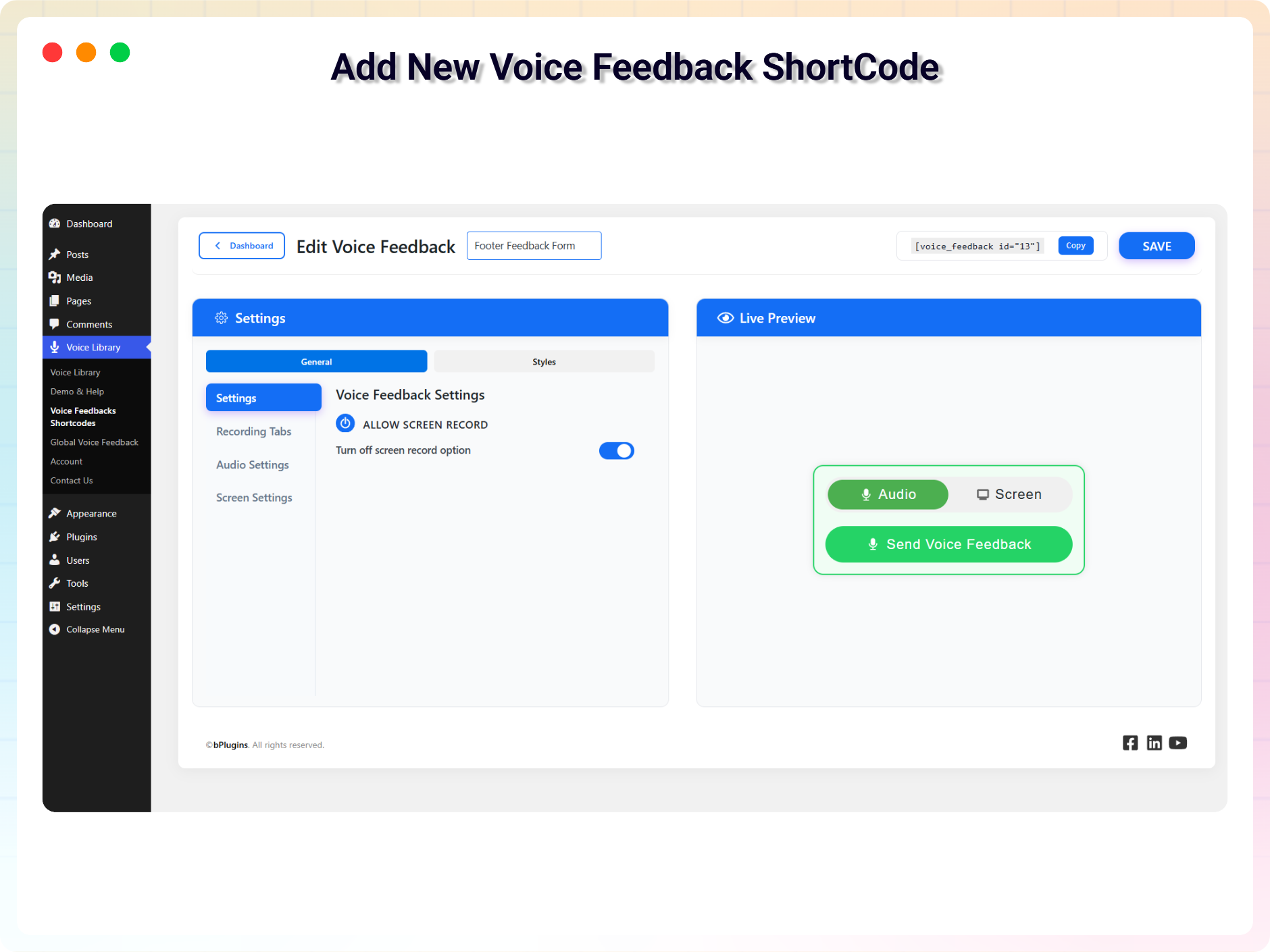
Customize the voice feedback interface to match your site’s branding. Adjust typography, padding, colors, and layout to make it feel native. The design is fully responsive, ensuring users can leave audio messages smoothly from any device—mobile, tablet, or desktop.

Seamless WordPress Integration
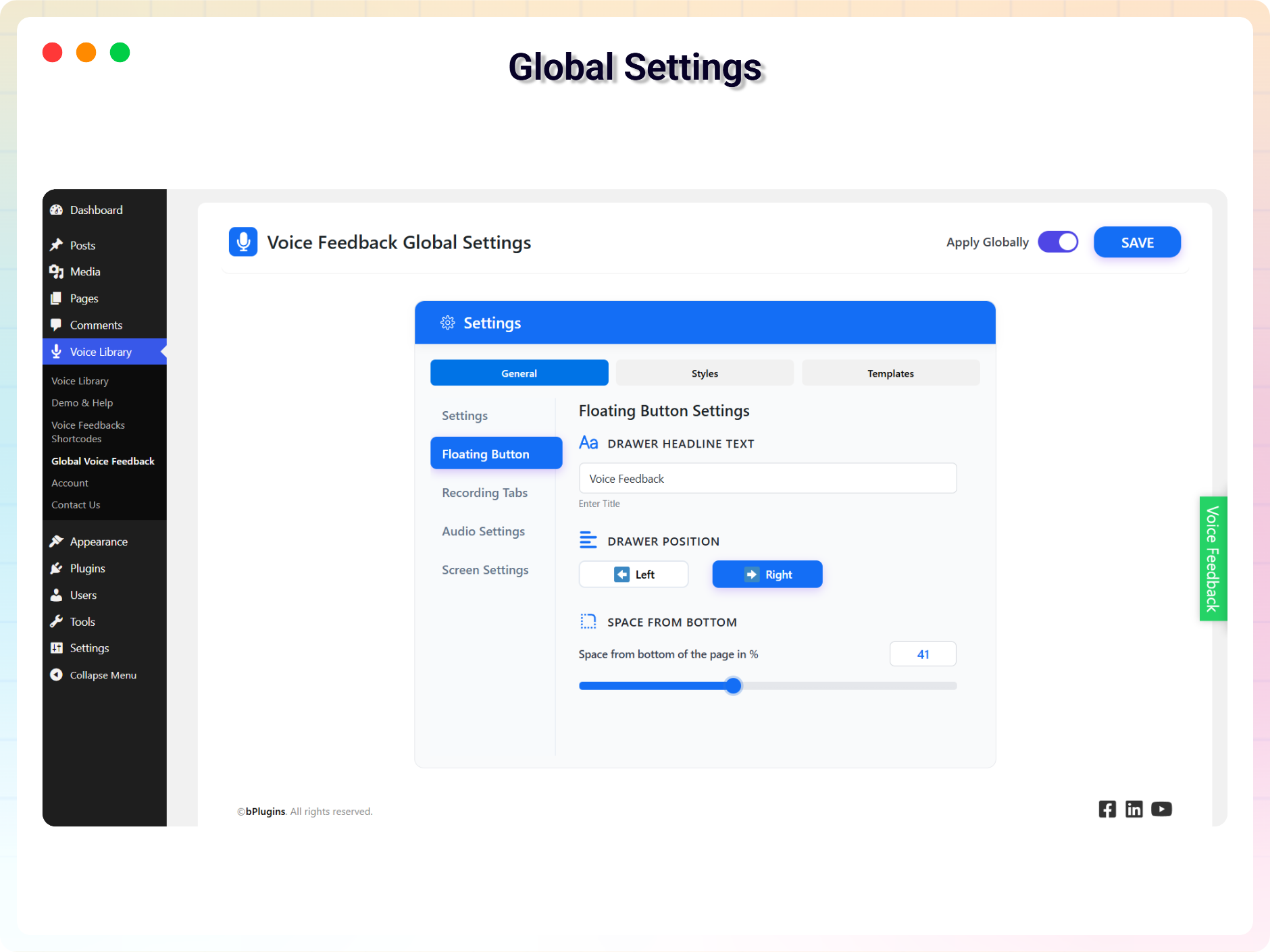
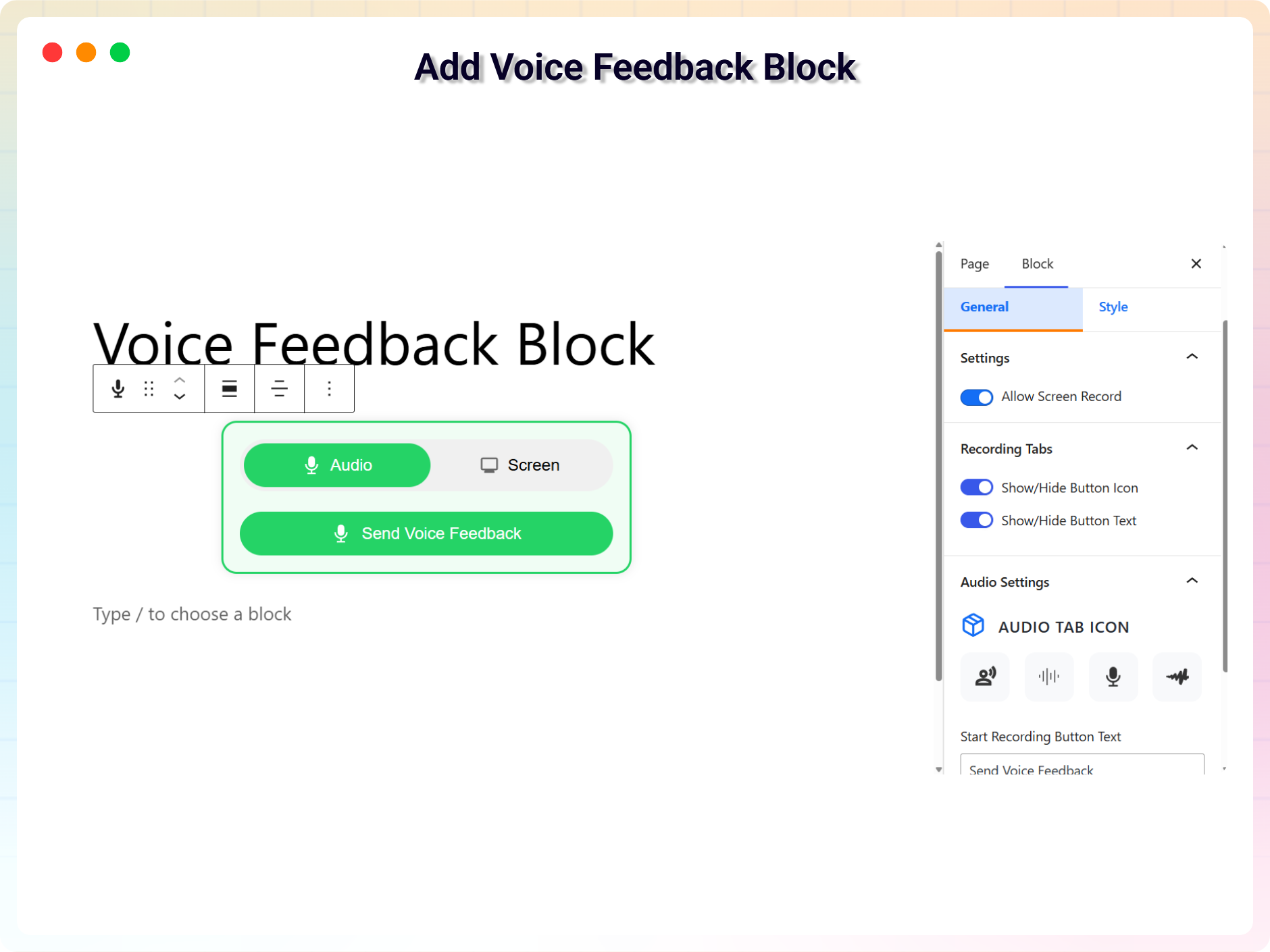
Easily embed voice feedback fields anywhere on your site. Use a Gutenberg block, shortcode, or enable a floating drawer across all pages. Built for WordPress, the plugin is lightweight, privacy-friendly, and designed for effortless user feedback collection— no performance hit.

Voice Feedback That Feels Personal and Powerful
-
Speak Your Mind with a Click
Visitors can share feedback naturally by recording voice messages. No typing or forms—just click, speak, and submit. It’s the fastest, most human way to collect user feedback that captures tone and emotion.
-
Centralized Voice Message Dashboard
Every audio message is saved in a clean, intuitive admin dashboard. Replay, manage, or delete feedback anytime. Gain authentic insights and understand your users without second-guessing.
-
Always On, Always Accessible
Display a floating voice recorder drawer across your site. It stays visible and ready, so users can send feedback the moment inspiration strikes—no need to search for a form.
-
Seamlessly Add with Gutenberg
Add a voice feedback field to any page or post using our Gutenberg block. It’s easy to place, flexible to use, and doesn’t require a single line of code.
-
Place Anywhere with ShortCodes
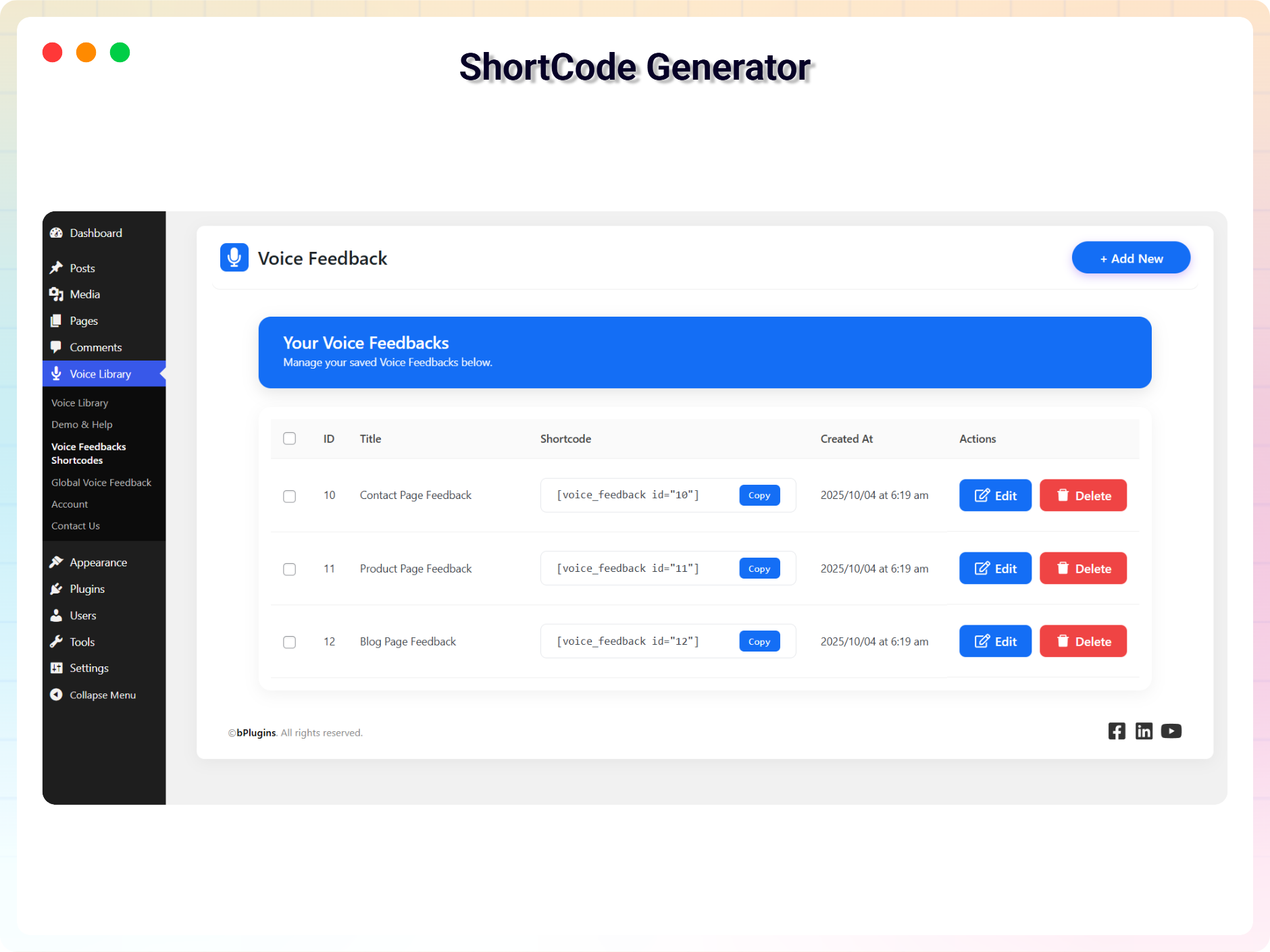
Need more control? Use shortcodes to embed the voice recording field exactly where you want it—from contact pages to custom layouts.
-
Turn Feedback into Action
By listening to real voices, you unlock deeper user understanding. Let audio feedback guide smarter decisions around content, UX, and product direction.
Screenshots
Explore the Interface, Settings & Preview Screens
Learning Materials
Looking for some learning materials. You will better understand how to use Voice Feedback.

FAQs
Frequently Asked Questions
Voice Feedback lets your visitors record and submit short voice messages directly on your site. You can access and manage all messages from your WordPress admin dashboard—listen, review, and take action with ease.
Yes! Voice Feedback installs like any other WordPress plugin. Once activated, you can start collecting voice feedback in minutes using a Gutenberg block or shortcode for flexible placement.
Voice feedback provides deeper insight than text alone. You can hear the tone, emotion, and urgency in your users’ voices, helping you better understand sentiment, identify pain points, and uncover new ideas directly from your audience.
Yes, Voice Feedback is fully responsive and works seamlessly across all devices—desktops, tablets, and smartphones. Visitors can record voice messages no matter how they access your site.
Voice Feedback is perfect for anyone who wants to collect more personal, authentic input from users. Ideal for bloggers, educators, UX researchers, product teams, portfolios, and service-based websites.
Use Voice Feedback to collect testimonials, product feedback, bug reports, UX suggestions, or general site comments. It’s also great for education sites where students or clients can submit voice notes, updates, or assignments.
Yes. All voice messages are stored securely in your WordPress dashboard. The plugin doesn’t collect personal data unless users include it in their message. It’s built with privacy-first principles, focused only on voice-based feedback.
There’s no set limit on the number of messages. Recordings are stored on your WordPress site, so how many you can keep depends on your hosting plan’s available storage.
Get started
Ready to get more from Voice Feedback?
Start with the free build of Voice Feedback and see how it fits your site, then upgrade to Pro when you want the full toolkit.

 45% OFF