
Carousel Block
B Carousel Block transforms static images into responsive, interactive carousels within the Gutenberg Block Editor. Create professional image sliders that enhance engagement and beautifully showcase your content on all devices. Add carousels instantly with full customization functionality.
- 5+ 5 Rating
- 7000+ Active Installs
- 14-day money-back guarantee
Why Choose B Carousel Block?
Static image galleries often lead to lower engagement. Visitors simply scroll through dull image grids without pausing. B Carousel Block turns your images into dynamic, interactive carousels that capture attention and keep users engaged longer.
The Problem with Static Image Displays
- Image grids look outdated and unprofessional
- Visitors skip past static content without engaging
- Mobile users struggle with cramped image layouts
- No way to highlight key images or call-to-actions
- Poor visual impact hurts conversion rates and brand perception
A Better Way to Showcase Images in WordPress
B Carousel Block helps you:
- Create stunning, responsive carousels in minutes using Gutenberg
- Showcase images dynamically with smooth transitions and effects
- Keep visitors engaged with interactive, swipeable galleries
- Add clickable links and captions to drive conversions
- Deliver perfect viewing experiences on phones, tablets, and desktops
- Control autoplay, speed, and navigation to match your brand
Build Beautiful Carousels Instantly No Coding Skills Needed
Create stunning image carousels directly in Gutenberg with simple drag-and-drop. Add images, customize settings, and publish immediately. No technical knowledge required. Your carousels work perfectly with any WordPress theme while giving visitors a smooth browsing experience.

Engage Visitors with Interactive and Touch-Friendly Carousels
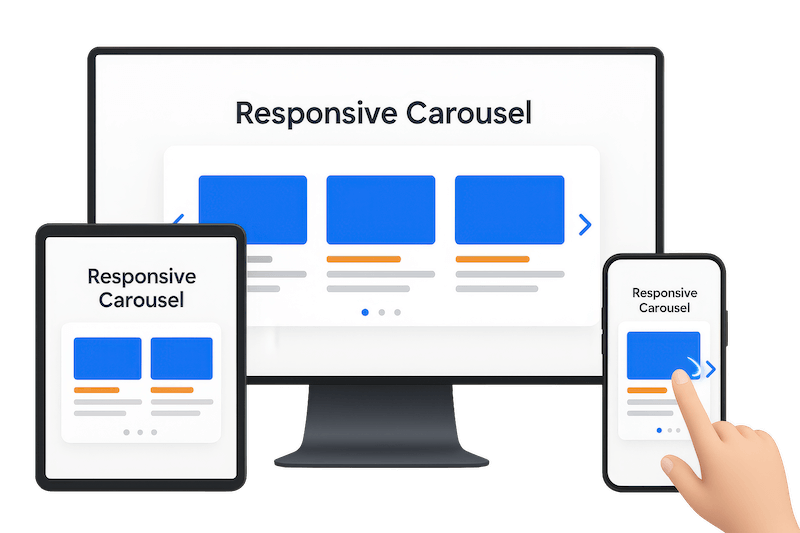
Transform boring image galleries into dynamic, swipeable experiences. Visitors can navigate effortlessly using touch gestures, navigation arrows, or automatic transitions. Perfect responsive design ensures your carousels look stunning and function flawlessly on every device and screen size.
Drive Conversions with Clickable Images and Custom Captions
Turn carousel images into powerful conversion tools. Add clickable links that open in new tabs or the same window. Include compelling captions with custom styling to guide visitor actions. Perfect for showcasing products, portfolios, testimonials, or any content that needs to drive results.

Customize Every Detail to Match Your Brand Perfectly
Control autoplay speed, transition effects, and navigation styles to create the exact experience you want. Choose from multiple effects like slide, fade, and creative transitions. Set custom colors, spacing, and typography to ensure your carousels align perfectly with your brand identity.

Essential Features for Designing Interactive Carousels
-
Drag-and-Drop Reordering
Rearrange carousel slides instantly without deleting and recreating them. Save time and maintain your workflow with intuitive slide management directly in Gutenberg.
-
Responsive Column Control
Set different column numbers for desktop, tablet, and mobile devices. Ensure your carousels look perfect on every screen size with automatic responsive adjustments.
-
Custom Caption Styling
Style captions with custom typography, colors, backgrounds, and positioning. Create compelling text overlays that guide visitor actions and enhance your visual storytelling.
-
Flexible Link Options
Make slides clickable with custom links that open in the same tab or new window. Perfect for driving traffic to product pages, portfolios, or external sites.
-
Autoplay and Speed Control
Set custom autoplay timing and transition speeds to create the perfect browsing rhythm. Give visitors time to engage while maintaining dynamic visual interest.
-
Navigation and Pagination
Add arrow navigation and dot pagination that visitors can use to browse slides manually. Customize appearance and choose which devices display these controls.
-
Multiple Transition Effects
Choose from slide, fade, and creative transition effects to match your content style. Create smooth, professional animations that enhance user experience without distraction.
-
Shortcode Flexibility
Display carousels anywhere on your site using generated shortcodes. Perfect for adding galleries to sidebars, footers, or any location outside post content.
-
Gutenberg Block Integration
Build carousels directly in the Gutenberg editor with native block functionality. No separate interfaces or complex settings—everything works within your familiar editing environment.
-
Loop and Direction Options
Set carousels to loop continuously or stop at the last slide. Control direction and create the exact browsing behavior that fits your content strategy.
-
Lightbox Image Viewing
Open carousel images in clean, distraction-free lightbox popups. Give visitors a detailed view without leaving your page layout or losing their browsing context.
-
Advanced Touch Controls
Enable precise touch and swipe controls for mobile users. Add mousewheel scrolling and free-mode dragging for desktop visitors who prefer alternative navigation methods.
-
Smart Autoplay Options
Pause autoplay when visitors hover over slides, reverse direction automatically, or disable interaction after user engagement. Create intelligent, user-focused carousel behavior.
-
Premium Visual Effects
Access advanced effects like cube, coverflow, flip, and card transitions. Create stunning 3D-style carousels that wow visitors and set your site apart from competitors.
-
Device-Specific Controls
Show or hide navigation arrows and pagination dots on specific devices. Optimize the interface for each screen size while maintaining clean, professional appearance everywhere.
Live Overview
Click on any section to view it live
-
General
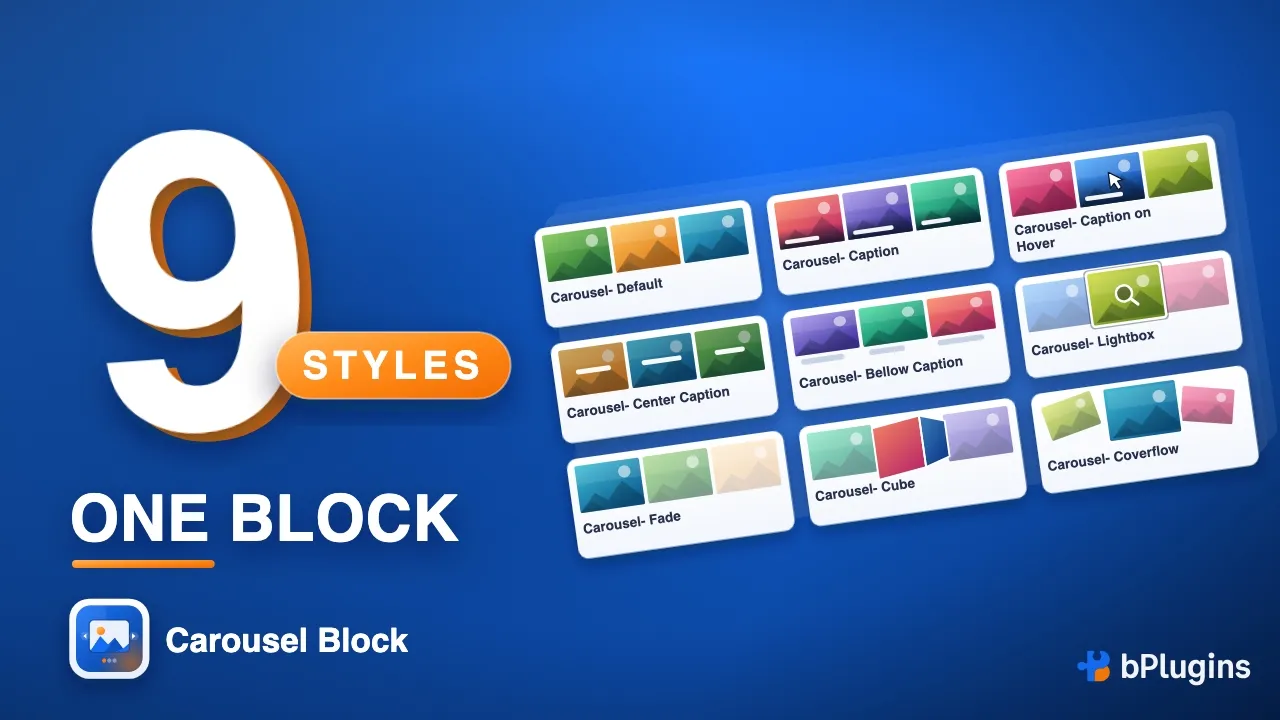
Default Carousel
Basic carousel with default settings. Preview live -
Captions
Caption
Carousel showing captions below images. Preview live -
Captions
Caption on Hover
Captions appear when hovering over slides. Preview live -
Captions
Caption Center
Captions displayed at the center of slides. Preview live -
Captions
Caption Bellow
Captions shown below each carousel item. Preview live -
Features
Lightbox
Opens images in a lightbox view. Preview live -
Effects
Fade Effect
Smooth fade transition between slides. Preview live -
Effects
Cube Effect
3D cube rotation effect for slides. Preview live -
Effects
Creative Effect
Unique creative transitions for slides. Preview live -
Effects
Coverflow Effect
Stylish coverflow 3D carousel layout. Preview live -
Effects
Flip Effect
Flip-style transition between slides. Preview live -
Effects
Cards Effect
Cards-stacked carousel transition effect. Preview live
No demos in this category.
Testimonials
What Our Customers Say to Us
5.0 rating · 5 real reviews from the WordPress.org community
-
WordPress.org
Works as it should
This just provides basic things as a slide should have. Easy to use. Great free plugin.
fufy Read review
-
WordPress.org
Great Plugin
STraightforward, Easy to use.
tolitscc Read review
-
WordPress.org
good
very good and easy to manage
janshatad Read review
-
WordPress.org
simple, straight forward and does it’s one job well
Spent ages trying to find a simple image carousel plugin. All the big splayers wantd big money for the pro version to include the carousel. They were also often hardwork when it should be simple. That’s when I discovered this plugin. Amazing that it works straight from blocks editor (instead of creating it and then inserting with shortcode) Offers some simple but useful configuration options for each set of slides. Love it!
mattgoddard Read review
-
WordPress.org
I Love It
Good job guys I love it and easy to use keep going.
mas98 Read review
Screenshots
Explore the Interface, Settings & Preview Screens


Learning Materials
Looking for some learning materials. You will better understand how to use B Carousel Block.

FAQs
Frequently Asked Questions
Yes! You can rearrange the carousel slides according to your needs.
Yes, you can! Just select the Lightbox from the Click Action dropdown menu on the slide. It’s a premium feature.
Yes, you can set a different column number for various devices. Also, you can opt to show/hide navigation and pagination on tablets and mobile devices.
Yes! you can change the carousel options. There are many options to configure.
Visit our support portal to open a ticket -> https://bplugins.com/support/. Also, You can send an email to [email protected]
Yes, we provide plugin customization service (Paid). Please send us details via email: [email protected]
We try to respond to our customer’s questions ASAP, however, it can take up to 72 hours.
No, you don’t have to buy a new license. You can go through the previous license!
When a new version will be released, you will receive an email notification.
Get started
Ready to get more from Carousel Block?
7,000+ WordPress sites already run Carousel Block. Start free, then upgrade to Pro when you want the full toolkit.

 45% OFF